AI agent management for founders running a business
AI agent management tools help you decide what your AI agents work on, give every agent the same plan for each job and keep what they learn, so only the real decisions come back to you. Annsa brings project management and customer feedback together for founders running a business with a team of AI agents.
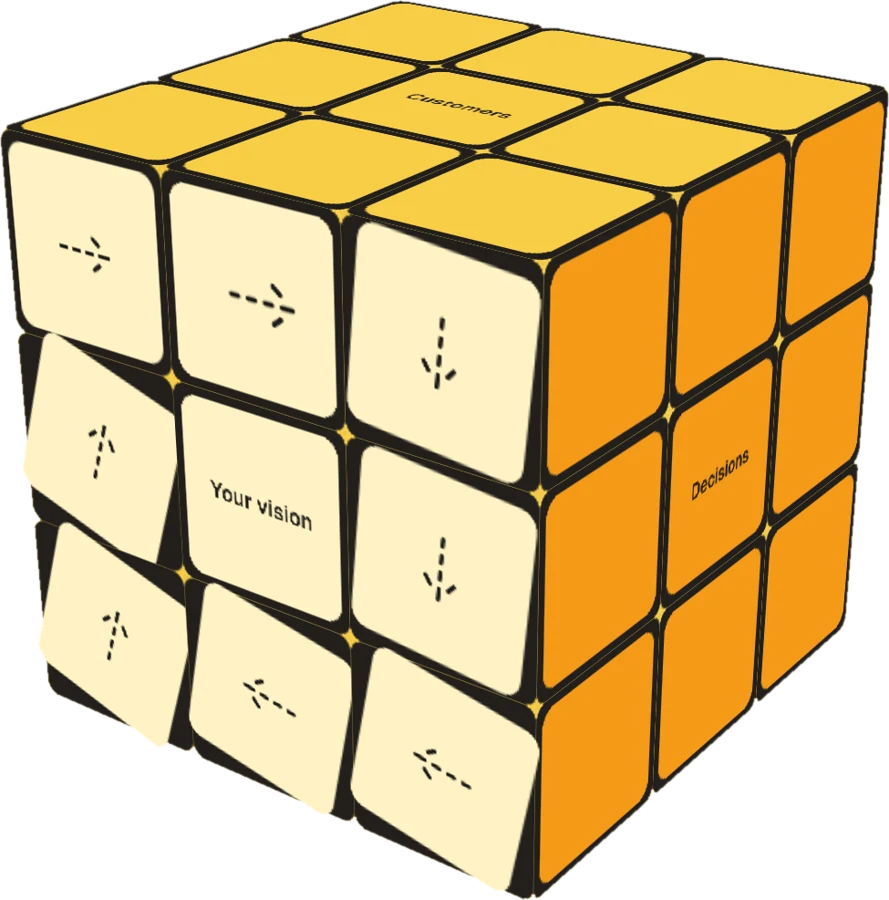
Annsa is project management and customer feedback software for founders and small teams working with AI agents. Direction for your agents and projects, grounded in your customers and your goals: give Claude Code, Cursor, Codex and Grok one shared plan, and see what shipped. They read the ranked list over MCP and claim the next one.
Choose, direct, learn.
What to look for in an AI agent management tool
Management is the what and why. Orchestration is the how. How they differ →
Management is the what and why. Orchestration is the how.
Three words get used for agent tools. They do different jobs, and many teams use all three.
Built for founders running a business with a team of AI agents.
Lead your business while your agents do the work. Annsa ranks and suggests. You make the calls.
What is AI agent management, in practice?
AI agent management is the work a manager does, applied to AI agents: deciding what the work is, making sure each job is clear, knowing who has it, checking it's done and keeping what was learned. It answers one question every morning: what should my agents be doing today, and why?
That sounds obvious until you run 2 agents. One agent is a helper you talk to. Two or more is a small team, and teams need things helpers don't: a shared list, a plan each member can read cold, a rule about who holds what and a way to pass on what one of them learned. None of that comes with the agent. Claude Code, Cursor, Codex and Grok are each very good at doing a job. None of them knows which job matters most to your customers this week.
Agent management sits above the agents, not inside them. It doesn't change how an agent writes code. It changes what the agent is asked to build, what "finished" means and which decisions come back to you.
For a small team, it rarely needs to be heavy. A ranked list, a spec per job, a claim per job, a few rules about when to ask and a habit of writing down what was decided. The rest of this page goes through each part, what breaks without it, what to look for in a tool and how the category is shifting this year.
How is management different from orchestration and observability?
These 3 words get mixed up in tool listings, partly because some products do a little of each. They answer different questions, and most teams with agents in production end up needing more than one. The cards above separate management from orchestration and the harness. Here they are with a third neighbor, observability, added.
| Agent management | Orchestration | Observability | |
|---|---|---|---|
| The question it answers | What should the agents work on and why, and how will we know it's done? | How do the agents work together: who takes which part, and in what order? | What did the agents do, and what did it cost? |
| The unit | A job, tied to a customer problem | A step in a workflow | A trace, a call, a token count |
| Who uses it | The person who owns the product | Whoever coordinates the agents: an engineer wiring a pipeline, or a product builder running several coding agents | The engineer running it |
| What it holds | Priorities, evidence, specs, Done When lines, decisions | Routing rules, handoffs, retries | Logs, traces, costs, errors |
| When you need it | As soon as 2 agents share one product | When agents call each other inside an application | When agents run in production and you need to debug |
| What it can't tell you | How a single run unfolded step by step | Whether the work was worth doing | Whether the right thing was built |
That's why it's easy to skip: nothing crashes when it's missing.
A quick way to tell which one you're missing:
- If your agents built the wrong thing, or two built the same thing, that's management.
- If one agent's output never reached the next step in your pipeline, that's orchestration.
- If you can't tell why a run failed or what it cost, that's observability.
Management is the what and why: which work matters, and how you'll know it's done. Orchestration is the how: who takes which part, in what order, and how work passes between agents. Some tools use "agent management" to mean permissions and monitoring. Here it means direction. Orchestration and observability have frameworks built for them. Management usually doesn't. That's why it's easy to skip: nothing crashes when it's missing. The agents keep working, efficiently, on whatever they were last told. Annsa gives the direction and coordinates the work. Your coding agents run it. For more on the orchestration side, including the common patterns and how to orchestrate coding agents, see agentic orchestration.
What are the jobs of AI agent management?
There are 3 jobs, and they run in a loop. Choose what to build, direct your agents while they build it and learn from what shipped so the next choice is better.
Choose: one ranked list
The first job is deciding what the work is. For a product with customers, the inputs are your customers, your roadmap, your ideas and what your agents find while they work. Without a single list, each input lives somewhere else: requests in your inbox, ideas in a notes file, agent findings in a chat that closed yesterday.
A good list does 3 things. It puts everything in one place. It ranks in an order you can say out loud, such as: what's broken first, then what customers asked for, then ideas. And it keeps the evidence on each row, the customer's own words and the account behind them, so you can check the reason in a click.
A person makes the call. The list can rank and suggest, but your severity and your judgment win. For how to rank without a formula, see how to choose what to build and product prioritization for small teams.
Direct: one plan per job, and only your calls
The second job is making each job clear enough that any agent can pick it up cold. That's a spec: the problem, the evidence, what to build, the files it touches and Done When lines that say how you'll know it's finished. Who writes it matters less than that every agent reads the same one. See the spec.
Directing also covers who holds what. One agent claims a job before it starts, and the others skip it. And it covers which decisions come back to you: scope, customers, money, security, anything that can't be undone, going against your own rules and real choices between options. Everything else, the agent settles and notes. Human in the loop for AI agents goes through how to write those rules.
Finally, directing includes knowing a job is done. Merged is not shipped. Each Done When line gets checked where customers are, with evidence you can follow. See definition of done for AI agents.
Learn: keep what each job taught
The third job is the one most setups skip. When a job ships, 3 things should happen. The people who asked hear about it. You find out whether it worked: did the problem go quiet, or did it come back? And what the agent learned, the decision you made or the dead end it hit, is saved where the next agent will read it.
Without this, every session starts from zero. You answer the same question twice, an agent repeats a fix another agent already tried and customers never hear that the thing they asked for exists. See learn as you go.
What breaks when a small team runs 2 or more agents?
Running one agent well is mostly about prompts and context. Running 2 or more is mostly about coordination, and the problems look the same for almost everyone. Here's what tends to go wrong, and the management fix for each.
| What you see | What's underneath | The fix |
|---|---|---|
| Two agents built the same thing | Nobody said who had the job | One shared list, and a claim before starting |
| An agent built something nobody asked for | It picked work from its own reading of the code | Work comes from the ranked list, not from the agent |
| You explain the project again every session | The context lived in a chat that ended | A rules file every agent reads, plus a spec per job |
| One agent undid another's change | Both edited the same files at once | A claim per job, and a separate branch or worktree for each agent |
| Your day goes to answering questions | No written rule about which calls are yours | "Ask me only if" rules, and saved answers |
| A job was "done" but customers can't use it | Merged was treated as shipped | Done When lines, checked where customers are |
| A customer asks about something that shipped weeks ago | Nobody connected the ship back to the request | Evidence kept on the job, and a note to each person who asked |
| The same mistake happens twice | What was learned wasn't written down | Decisions saved as rules every agent reads |
Notice that none of these are model problems. A smarter agent still doesn't know another agent took the job, or that a customer asked for something else. Your agents don't share a brain, so the shared part has to live outside them.
There's also a cost that doesn't show up in any of the rows: your attention. The reason to run more agents is to get more done while you lead the business. If coordinating them takes the time they saved, you've added work, not capacity. How to manage multiple AI agents has the step-by-step version.
What does it look like for a small team?
Here's a made-up example. Say a 3-person team runs a booking app with 120 paying customers. They use Claude Code for most of the build, Cursor when the designer is editing screens and Codex for background fixes.
Before. Requests arrive in support email and a team chat. Each person keeps their own list of what they've asked an agent to do. On a Tuesday, Claude Code and Codex both fix the same calendar sync bug, in different ways, and the second fix breaks the first. A customer who asked for recurring bookings 6 weeks ago asks again; it shipped a month ago and nobody told her. The founder spends about 2 hours a day answering agent questions, many of them the same question in a new session.
After. They keep one ranked list. The calendar bug sits at the top as broken, with the 5 accounts that reported it attached. Each job has a short spec ending in Done When lines. An agent claims a job before starting, so the second agent picks the next row instead. Their AGENTS.md says which calls need a person, and when the founder answers one, she saves it as a rule. When recurring bookings ships, a short note goes to the 7 people who asked, written by an agent and sent by the founder after she reads it.
Nothing about the agents changed. The same 3 tools did the same kind of work. What changed is that the agents now read the same direction, and the founder's time went back to choosing what came next.
What questions should you ask any AI agent management tool?
The cards above name the five things. These are the questions to ask a vendor or your own doc, including a spreadsheet you build yourself. Each item is a question to ask, with what a good answer looks like.
Choose
- Where does the list come from? Good: customer requests, your roadmap, your ideas and agent findings land in one list, without copying.
- How is it ranked, and can you say why? Good: an order you can explain in a sentence, with your severity always winning.
- Is the evidence on each row? Good: the customer's words, the account and its revenue, a click away.
Direct
- Can your agents read it themselves? Good: Claude Code, Cursor, Codex and Grok connect over MCP and read the list and the spec, rather than you pasting them in.
- Is there a spec per job, with checkable lines? Good: a short plan any agent can pick up cold, ending in Done When lines.
- Can a job be claimed? Good: one holder at a time, visible to every agent and person.
- Which decisions reach you, and how? Good: only the calls that are yours, each in a few lines with options and a pick.
- Does an answer stick? Good: you can save it as a rule every agent reads before asking.
- How does it know a job is done? Good: evidence per Done When line, and merged isn't treated as shipped.
Learn
- Do the people who asked hear when it ships? Good: a drafted note you review and send. Nothing goes to customers without a person.
- Can you see whether it worked? Good: what shipped, and whether the problem came back.
- Can you ask it questions? Good: answers that cite your own evidence, specs and ships.
Trust
- What can an agent do without you? Good: clear limits, with the steps that reach customers held for a person.
- Is there a record? Good: who did what, person or named agent.
- Does it fit the agents you already use? Good: it works alongside your tools rather than replacing them, and doesn't run or route your agents unless you want that.
If a tool answers most of these well, it's doing management. If it answers the first 3 and nothing else, it's a list. If it mostly answers questions about runs and traces, it's observability, which is useful but a different job.
How is AI agent management changing in 2026?
The category is young, and a lot of what's written about it is louder than what's changed. Here's what has shifted in a way you can check.
Agents run in the background, and in parallel. Not long ago, most coding agent sessions were ones you watched. Now Claude Code has a research preview for running sessions in the background and watching them from one screen. Cursor's docs say of its cloud agents, "You can run as many agents as you want in parallel." OpenAI's Codex docs say each cloud task "can keep working while your computer is asleep." More agents running while nobody watches makes the direction they start from matter more, not less.
The shared pieces became open standards. In December 2025 the Linux Foundation formed the Agentic AI Foundation, with Anthropic's Model Context Protocol, Block's goose and OpenAI's AGENTS.md as founding projects. MCP is how agents connect to tools, and AGENTS.md is "a simple, open format for guiding coding agents." For a small team, this means one rules file and one connection can serve several agents from different companies. See Model Context Protocol and AGENTS.md.
Agents ask permission less, and are checked differently. Claude Code's auto mode uses a separate model to review actions and block what looks risky, instead of asking you about each one. That's a good change for tool-level safety. It doesn't decide product calls, so the question of which decisions are yours still needs an answer you write down.
"Agent management" is being used for 2 different things. Large companies use the phrase for governing hundreds of agents across departments: inventory, access, cost and compliance. Small product teams use it for directing a handful of coding agents on one product. Both are real. When you read a tool list, check which one it means.
The bottleneck moved. When an agent can build in an afternoon what took a sprint, writing code stops being the slow part. Deciding what to build, writing it down clearly and checking it's done become the slow part. That's the management layer, and it's why the category exists now. See the bottleneck moved.
What hasn't changed: agents don't know your customers. They don't know which request came from the account that renews next month, or that you already decided against a feature last spring. That knowledge has to come from somewhere they can read.
What about governance, cost and identity?
Tools built for large companies lead with these. They give each agent its own identity, set quotas on what it can spend and keep an audit trail of every action. A small product team needs the same three things at a smaller size.
- Identity: a named agent on each claim, so you can see which agent holds which job.
- A record: who did what, a person or a named agent, kept where everyone can read it.
- Cost: a spend limit per agent, set in each agent's own settings or your account with its provider.
Annsa covers the first two. An agent on its own credential shows by name on the work it claims and in the activity log; an agent on your own sign-in acts as you and shows as you. Annsa doesn't control what your agents spend. That lives with each agent. See what your agent can do.
Do you need a tool, or will a doc do?
Often a doc will do, at first. If you run one agent on one product, a short AGENTS.md, a list in a file and specs in your repo cover most of it. Add a line to the rules about which calls are yours, and you're doing agent management.
A doc is fine until the day two agents ship the same fix.
You've outgrown the doc when:
- 2 or more agents work at once, and you've had a duplicate job.
- Requests come from more places than you can copy by hand.
- You've answered the same agent question in 2 different sessions.
- Someone asks about a feature that shipped, and you can't say when, or who else asked.
- You can't tell from the record what an agent did yesterday.
At that point, the work of keeping the doc in sync starts to cost more than a tool would. Pick one that fits the agents you already use and keeps you as the person making the call. A doc is fine until the day two agents ship the same fix.
How does Annsa do it?
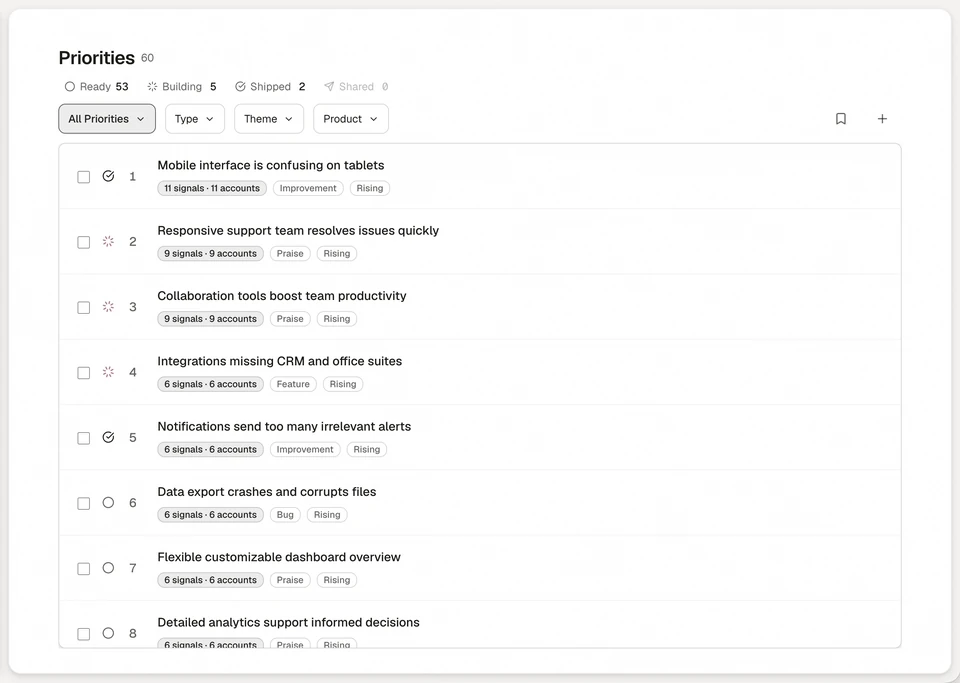
Annsa brings project management and customer feedback together for founders running a business with a team of AI agents. It doesn't run your agents. They connect to it over MCP and read the plan.
- Choose. Your customers, your roadmap, your ideas and what your agents find land in one ranked list of priorities, inside your bets and in your order. What a person marked broken comes first, then what customers asked for, then ideas. A person's severity always wins, and you make the call.
- Direct. Each priority has a spec with Done When lines. You, your agent over MCP or Ask writes it. Claude Code, Cursor, Codex and Grok claim a priority, read the spec and record evidence against each line. Needs You holds only the calls that need a person, and a decision saved as a principle is read by every agent.
- Learn. When a job ships, Share Back drafts a note to each person who asked, and you review and send it. Radar shows what shipped and whether it worked, and Ask answers questions about your evidence.
- The tools. annsa.priorities, annsa.spec and annsa.ask read. annsa.work, annsa.file, annsa.decide, annsa.board and annsa.share act.
| What you do by hand | What it costs | How Annsa does it |
|---|---|---|
| Copy requests from email and chat into a list | Requests get lost, and the list goes stale | One ranked list your agents read themselves |
| Paste the plan into each agent's chat | Each agent works from a different version | One spec per job, read over MCP |
| Tell agents who has which job | Two agents build the same thing | One holder per job, shown to everyone |
| Answer the same question in each session | Your day goes to questions | Needs You, and principles every agent reads |
| Remember who asked for what | Customers never hear it shipped | A drafted note to each person who asked |
See how the three parts fit together day to day in how it works. Annsa is free to try, with no automatic charge.
Sources
- Linux Foundation, Linux Foundation announces the formation of the Agentic AI Foundation, 9 December 2025.
- AGENTS.md, stewarded by the Agentic AI Foundation.
- Anthropic, Best practices for Claude Code.
- Cursor, Cloud agents.
- OpenAI, Codex cloud.
Questions people ask.
How is AI agent management different from AI automation?
What is agent management software?
Does Annsa write code or specs?
What is the difference between AI agent management, orchestration and observability?
What is an AI agent management platform?
How do you manage multiple AI agents on one product?
Do I need an AI agent management tool for one agent?
What breaks when you run several AI coding agents?
The source of direction for agent teams.
Begin with one agent and the work that matters next.