Jira MCP and Linear MCP: what your agent can do
The short answer
Atlassian's Rovo MCP server and Linear's MCP server let an agent read and update issues from Claude Code, Cursor, Codex or Grok. For a team already in Jira or Linear, connect it first. Annsa works like an operating system for small business run with AI agents: the plan above the issues, with a ranked list, specs and answers it remembers.
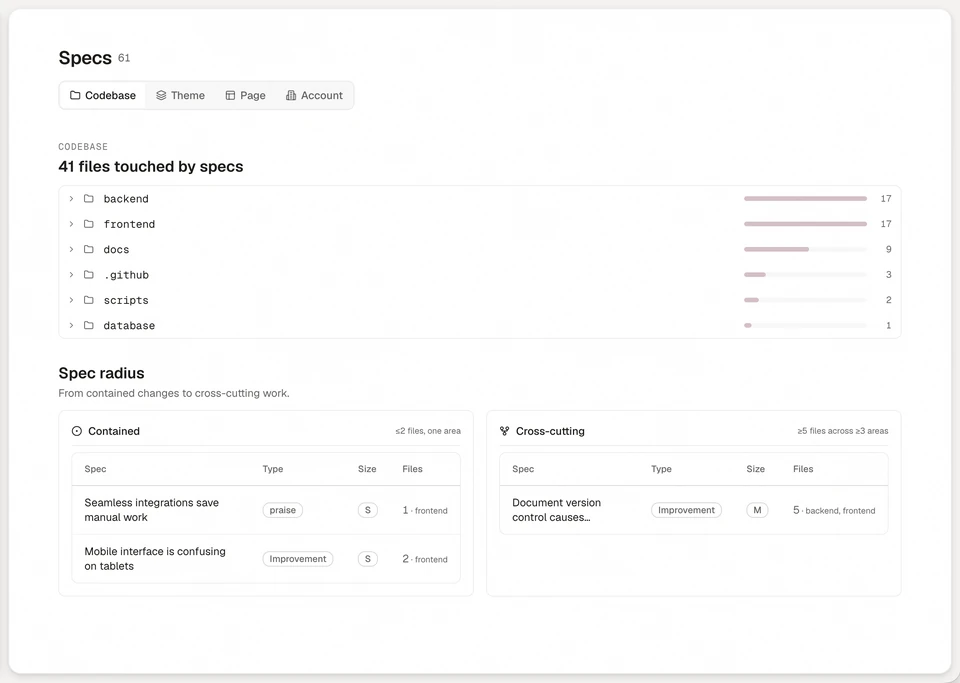
Annsa is project management and customer feedback software for founders and small teams working with AI agents. Direction for your agents and projects, grounded in your customers and your goals: give Claude Code, Cursor, Codex and Grok one shared plan, and see what shipped. They read the ranked list over MCP and claim the next one.
You already track your work in Jira or Linear, and now you want your agent to read it and update it. Both vendors run a remote MCP server for that. Atlassian's is the Rovo MCP server, and Linear's lives at mcp.linear.app. This guide covers what each lets an agent do, who can use it, how Claude Code, Cursor, Codex and Grok connect, and what an agent still lacks when all it has is a tracker.
Facts about Atlassian and Linear come from each vendor's own site, checked in November 2026. See Sources at the end.
TL;DR
- Both servers let an agent read and change issues. Atlassian's covers Jira, Confluence and more. Linear's covers issues, projects, comments and documents.
- For a team already living in Jira or Linear, connecting its MCP server is the right first step.
- An issue holds what someone typed. It does not rank what customers asked for, say what done means or remember what you decided.
- Annsa works like an operating system for small business run with AI agents: your direction, goals, projects, work and customers, in one plan. It is for founders and small teams who want the plan, not just the issues.
What does the Jira MCP server let an agent do?
It lets an agent read and update Jira work items from an AI tool. Atlassian's Rovo MCP server works across Jira, Jira Service Management, Confluence, Bitbucket, Projects and Goals. Atlassian's docs say an agent can summarize and search, and create or update work items and pages.
For Jira, Atlassian's supported tools page lists:
- Read: a work item by key, its comments, its workflow transitions and statuses, boards and sprints.
- Search: work items with JQL, Jira's query language.
- Write: create and edit work items, move them through a transition, add or edit comments, and manage sprints.
- Off by default: deleting issues, comments and attachments, and managing spaces, workflows and screens. An admin has to switch these on.
Those Jira tools need version 2 of the server. Atlassian lets organization admins grant or revoke access by permission group, so you can keep an agent read-only.
How do you sign in to the Jira MCP server, and what does it cost?
Sign in with OAuth 2.1, which opens a browser consent screen. Atlassian lists API tokens as an option for non-interactive use, and only if your admin enables them.
Installing the server and running single-product lookups and writes is free, according to Atlassian's Rovo usage limits page. Enriched calls, such as cross-product search, use Rovo credits, and most cost 1 to 10 credits a call. Paid Jira, Confluence and Collection plans include a monthly credit allowance per user. For Jira it is 25, 70 or 150 on Standard, Premium and Enterprise, which Atlassian lists at $8.48 and $15.56 a user a month for Standard and Premium. The Rovo MCP server is on Standard and up. Credits are pooled across your organization and reset monthly. Atlassian says pay-as-you-go billing for extra credits takes effect on 3 December 2026. Check the page for your plan before you let an agent search all day.
What does the Linear MCP server let an agent do?
It lets an agent find, create and update issues, projects and comments in Linear. Linear's MCP docs say the server has tools "for finding, creating, and updating objects in Linear like issues, projects, and comments", and the page also mentions documents. The docs do not list each tool by name, and they do not mention initiatives, so check them for the exact object you need.
Linear gives you a read-only option three ways: a separate read-only endpoint, the read scope on the main one, or an API key with only read permission. Sign-in is OAuth 2.1, or a bearer token or API key in the request header. Enterprise workspaces can use managed authorization through Okta.
On plans, Linear's pricing page lists MCP access on Free, Basic, Business and Enterprise. Linear's AI page describes more than MCP: Linear Agent, issue triage suggestions, and assigning issues to agents. The pricing page notes that the cloud coding agent and agent loops require AI credits.
Jira MCP or Linear MCP: which one fits?
Pick the one that matches where your team already works. The servers are close in what they let an agent do, and the choice of tool is the bigger one.
| Jira (Atlassian Rovo MCP) | Linear MCP | |
|---|---|---|
| Reads and updates | Jira work items, comments, transitions, sprints, boards. Also Confluence and more | Issues, projects, comments, documents |
| Search | JQL, plus cross-product search that uses credits | Finding objects through the server's tools |
| Read-only | Admin controls by permission group | Read-only endpoint, read scope or read-only API key |
| Sign-in | OAuth 2.1, or an API token if your admin allows it | OAuth 2.1, or an API key or bearer token |
| Plans | Standard and up. Enriched calls use Rovo credits | MCP access listed on every plan |
For team size, Jira suits 25 or more people across several teams, and Linear suits software teams working in cycles. Annsa suits founders and small teams. See Jira alternatives and Linear alternatives for the longer comparison.
How do you connect Claude Code, Cursor, Codex and Grok to Jira or Linear?
Add the vendor's server URL to your agent's MCP settings, then sign in once. Each agent has its own docs for adding a remote server, and each vendor has its own page, so use theirs and not a copy of mine.
- Claude Code: Anthropic's MCP docs cover adding a remote HTTP server.
- Cursor: Cursor's MCP docs cover remote servers.
- Codex: OpenAI's Codex MCP docs cover servers that use a URL, through the app, the command line or a config file.
- Grok: xAI documents remote MCP tools for its API and SDKs. That page does not mention the Grok command line.
On the vendor side, Linear's MCP docs have steps for Claude Code, Codex and Cursor, and a general setup for other clients. Atlassian's docs say its server supports any app with MCP support and have a client setup page. Neither vendor's docs name Grok, so start from Grok's own docs and the server URL.
Most agents load their servers when a session starts, so a server added mid-session needs a new session.
What does an agent still lack with only an issue tracker?
A tracker over MCP gives your agent the issues. It does not give it the reasons. Running several agents tends to leave four gaps:
- What matters most. An issue has a priority field, but it does not tell the agent how many customers asked, in what words, or why this one outranks the next.
- What done means. A ticket says what to build. Each agent decides for itself when it is done.
- What you decided. You answered the same question in one chat on Monday. On Tuesday another agent asks it again.
- Who has the job. Two agents can pick the same issue unless something stops them.
Cat Williams-Treloar, founder of Annsa, wrote about this in September. Her post, September: getting our agents in a row, starts from the before: "In July and August, I was struggling to manage the full picture: customer feedback, my own ideas, the roadmap and everything my agents found while they built." Then she says what September was for: "So September became about getting us all working from the same direction." Her agents across Claude Code, Cursor and Codex then worked through 370 priorities across 5 releases that month. Her habit is one line: "Make a call, keep the reason and let the next agent build from it."
Where does a plan your agents work from fit?
It sits above the issues and is what an agent reads first. If you live in Jira or Linear with a team, connect its MCP server and keep going. That is the right first step, and it may be all you need.
Annsa is for founders and small teams who want the plan, not just the issues. It is project management and customer feedback software for people working with AI agents. Four parts do the work:
- A ranked list from your goals and what customers asked for, with who asked and the reason it ranks where it does. You set the final order.
- A spec for each job: the problem, what to build and Done When lines the agent proves on the live system, with a test, a screen or a link anyone can follow.
- Answers it remembers. When a call is yours, you answer once. Save the answer as a principle and every agent reads it before it asks again.
- One holder per job. An agent claims a priority first, so two agents do not take the same one.
Annsa has cycles of 1 to 4 weeks and a Marketing Calendar, so a small team can plan in the same place. It prices per person and meters customer signals and Ask questions, and your agents run on your own plans. See pricing for the numbers. You set the goals and rules, and a person does the release.
To connect an agent, Claude Code, Cursor, Codex and Grok each take the one Annsa URL. Annsa has no importers from other tools and no sync. Want to bring your work over? Book time with the team, import your customer feedback with a CSV of up to 10,000 rows, or ask your agent to move your work across.
A bigger team can run Annsa beside Jira or Linear for direction, but it is likely to duplicate work. If you have 25 or more people across several teams, stay on Jira. If you are a software team that plans in cycles, Linear is a strong fit.
Your next step
Connect the MCP server for the tool you already use, and give one agent a real issue. Then ask it where it would find the reason that issue matters and what done means. If the answer is "the ticket title", that is the gap a plan fills. Try Annsa on one project beside your tracker.
Sources
Facts come from each vendor's own site, checked in November 2026.
- Atlassian, "Get started with the Atlassian Rovo MCP server": https://support.atlassian.com/atlassian-rovo-mcp-server/docs/getting-started-with-the-atlassian-remote-mcp-server/ (20 November 2026)
- Atlassian, "Supported tools": https://support.atlassian.com/atlassian-ai-gateway/docs/supported-tools/ (20 November 2026)
- Atlassian, "Authentication and authorization": https://support.atlassian.com/atlassian-ai-gateway/docs/authentication-and-authorization/ (20 November 2026)
- Atlassian, "Set up clients": https://support.atlassian.com/atlassian-ai-gateway/docs/set-up-clients/ (20 November 2026)
- Atlassian, "Jira pricing": https://www.atlassian.com/software/jira/pricing (20 November 2026)
- Atlassian, "Rovo usage limits": https://support.atlassian.com/rovo/docs/rovo-usage-limits/ (20 November 2026)
- Linear, "MCP server": https://linear.app/docs/mcp (20 November 2026)
- Linear, "Pricing": https://linear.app/pricing (20 November 2026)
- Linear, "AI": https://linear.app/ai (20 November 2026)
- Anthropic, "Connect Claude Code to tools via MCP": https://code.claude.com/docs/en/mcp (20 November 2026)
- Cursor, "Model Context Protocol": https://cursor.com/docs/mcp (20 November 2026)
- OpenAI, "Codex MCP": https://learn.chatgpt.com/docs/extend/mcp?surface=cli (20 November 2026)
- xAI, "Remote MCP tools": https://docs.x.ai/docs/guides/tools/remote-mcp-tools (20 November 2026)
- Cat Williams-Treloar, "September: getting our agents in a row": https://annsa.ai/blog/september-getting-our-agents-in-a-row
Questions people ask.
Does Jira have an MCP server?
Does Linear have an MCP server?
Can Claude Code, Cursor, Codex and Grok use the Jira and Linear MCP servers?
Is the Jira MCP server free?
What does an agent still need beyond Jira or Linear?

The source of direction for agent teams.
Begin with one agent and the work that matters next.