Roadmap migration checklist
The short answer
A roadmap migration checklist moves product work from a board, a spreadsheet or scattered docs into one ranked list. Export, clean up, map fields, keep the evidence, set bets, connect your agents, then run old and new side by side for a week before retiring the old one.
A switching checklist walks you through moving product work from a board, a spreadsheet or scattered docs into one ranked list, without losing the evidence behind it. The order is: export, map fields, keep evidence, set bets, connect agents, then run both for a week.
TL;DR
- Move the evidence, not just the titles. Exact words, accounts and revenue are the part you cannot recreate.
- Clean first. Do not carry old clutter into the new list.
- Set your bets before you rank, so the order means something.
- Run old and new side by side for a week, then retire the old one.
- Budget a day for 100 items, plus an hour per 10 items that need quotes found.
When to use it: your product work lives in a current board or tracker, a sheet or a pile of docs, and it no longer tells you what to build next. When not: the current setup works. Do not move for the sake of moving.
A switching checklist
Go top to bottom. Tick a line only when it is done.
# Switching checklist

Inputs: an export from your current board, tracker, sheet or docs; your bets; your evidence.
Outputs: one ranked list where every item has evidence or is marked as an idea; agents pointed at it.

[ ] Why: one sentence on what is broken today.
[ ] Export everything (include archived items that hold decisions) and keep an untouched copy.
[ ] Clean up: delete tests, merge duplicates, drop what nobody touched in a year.
[ ] Map fields: title, description, status, who asked, account, revenue, source, date.
[ ] Keep evidence: exact words, account, revenue for each item. No evidence means idea.
[ ] Set bets: 2 or 3 goals, in order.
[ ] Order: bets, then broken, then customers asked, then ideas.
[ ] Connect agents: point them at the new list; update AGENTS.md.
[ ] Run both for a week: old one read-only; check nothing lives only there.
[ ] Retire the old one and tell the team where to look.

Notes:
- Items with no evidence: [count]
- Items found only in the old place: [count]
- Retire date: [date]
How do I work through it?
Decide why you are moving. Write one sentence: what is broken about the current setup. "Evidence is scattered and nothing tells me what is next" is a reason. "The new one looks nicer" is not. If you cannot say it, wait.
Export. Get everything out of your current board, tracker or sheet in a format you can open, usually CSV. Annsa reads a CSV the way importing feedback describes. Include archived items if they carry decisions. Save a copy somewhere you will not touch.
Clean up. Delete test items, merge duplicates and drop items nobody has touched in a year. Moving junk costs the same as moving gold.
Map fields. Line up each old column with its new home. Title, description and status are easy. The ones that matter are the ones that carry meaning: who asked, the account, what it pays and where it came from. If your current setup has none of those, that is the gap you are moving to fix.
Keep the evidence. For each item, keep the customer's exact words, the account and the revenue. If it lives in a separate doc, a chat thread or someone's head, collect it now. An item with no evidence goes in as an idea.
Set bets. Write down two or three goals, in order. They decide what ranks first. You can import without them, but you cannot rank without them. See the prioritization template for how bets, broken items, requests and ideas fit together.
Connect agents. Point your coding agents at the new list, so they read from it and not from an old copy. Update your shared rules file so it says where priorities and specs live.
Run both for a week. Keep the old one read-only. Check that nothing important lives only there, and that the new order feels right. Then retire the old one and say so to your team.
How long will it take?
Budget a day for 100 items, plus an hour per 10 items that need quotes found. The export takes minutes. Deciding what matters takes the time.
An example, filled in
This is an example, made up to show the level of detail. Say a four-person team with 40 customers, moving 120 items from a spreadsheet.
- Why: Requests live in the sheet but the customers' words are in Slack, so we cannot tell which items are backed by anyone.
- Export: Saved sheet as CSV on 21 Oct. Backed up to a shared folder.
- Clean up: Removed 18 test rows and merged 12 duplicates. 90 items left.
- Map fields: Title to title. Notes to description. "Who" column to account. Revenue column was empty, so we added it for the top 15 accounts.
- Keep evidence: Pulled exact quotes from Slack for the 30 items with the most asks. The other 60 go in as ideas.
- Bets: 1. Keep paying customers. 2. Win more trials.
- Connect agents: Updated AGENTS.md to point at the new list.
- Run both: Old sheet read-only until 28 Oct. Found 3 items that only lived there. Moved them.
Notice that 60 of the 90 items came in as ideas. That is not a failure. It means 60 items have no customer words attached yet, which is worth knowing before you rank them.
What mistakes should I avoid?
- Moving titles without evidence. You get a tidy list that cannot tell you why anything matters.
- No cleanup. The new place fills up with the same clutter.
- Skipping bets. Without them, the order is arbitrary.
- Cutting over in one day. Run both for a week to catch what only lived in the old one.
- Forgetting the agents. If they still read an old copy, they build old priorities.
- Not telling the team. Say when the old one retires and where to look now.
Inputs and outputs for an agent: it takes an export and a field map and returns a cleaned list with evidence attached to each item and a note of which items have none, for a person to review.
How does Annsa do it?
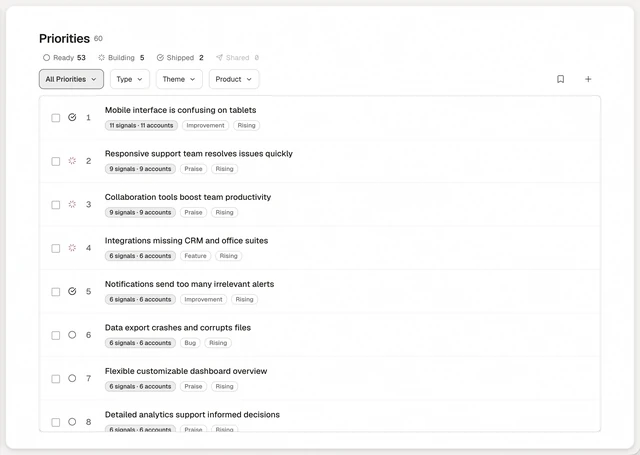
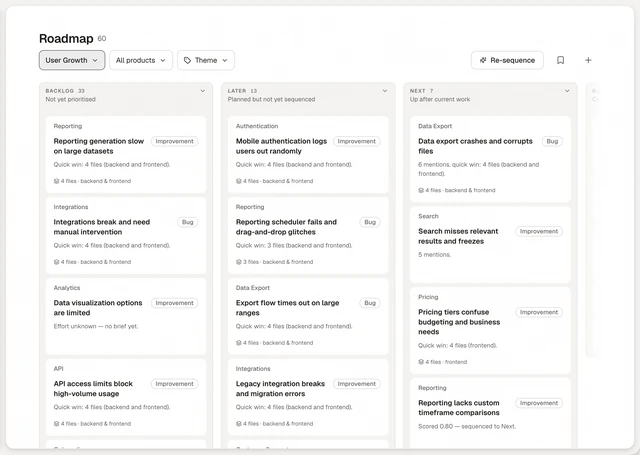
Annsa imports feedback from a CSV, a Google Sheet, transcripts, Slack or the API, and a strategy or roadmap document, into one ranked list. Export your board to CSV first. It keeps each item's exact words, account and revenue where you have them. You set your bets, and ranking happens inside them, in your order: what a person marked broken first, then what customers asked for, then ideas. Agents connect over MCP, which is remote and needs nothing installed. Nothing stops you running both for a week, as step 9 says. See the import steps in importing a roadmap, and how Annsa compares with other approaches. The ranked list lives on the priorities page.