Spec template
The short answer
A spec template is a one-page brief for a single job an agent builds. It holds 5 sections: the problem, the evidence, what to build (with what is out of scope), the files to touch and Done When lines written as given, when, then, each with how it is checked. Keep it to a page.
A spec template is a one-page brief for a single job an agent will build. It says why the job exists, what to build and what to leave alone, which files to touch and how you will know it is done. For the method behind it, see spec-driven development.
TL;DR
- One spec per job. If it holds two jobs, split it.
- 5 sections: Problem, Evidence, What to build, Files to touch and Done When.
- Start with the problem and the evidence, in the customer's exact words.
- Say what to build, not how to code it, and end that section with what is out of scope. Name the files so the agent starts in the right place.
- Write Done When lines as given, when, then, and say how each one gets checked.
When to use it: an agent will build the job, or anyone besides you will. When not: a one-line fix you will make yourself in 10 minutes.
A spec template
Copy it, fill each section in 3 or 4 sentences, and hand it to the agent. Short beats thorough here.
# Spec: [title, what becomes true, 9 words or fewer]

Inputs: the priority, its evidence, the repo.
Outputs: a change that meets every Done When line, with evidence recorded per line.

## Problem
[What is true today that should not be, in the words of the person who feels it. 2 sentences.]

## Evidence
- "[exact words]" ([name], [account], [$ per month], [source], [date])
- [Other accounts asking, or steps and what was seen for a bug]

## What to build
[The change, described as behavior. 3 or 4 sentences.]
Out of scope: [thing you are not doing], [thing you are not doing]

## Files to touch
- [path]: [what changes]
- Do not change: [path]

## Done When
1. Given [starting state], when [action], then [result].
   Check: [test name | staging URL | followable link]
2. Given [starting state], when [action], then [result].
   Check: [test name | staging URL | followable link]
3. Given [starting state], when [action], then [result].
   Check: [test name | staging URL | followable link]
What goes in each section?
Problem. What is true today that should not be, in the words of the person who feels it. Two sentences.
Evidence. The customer's exact words, the account and what it pays. If a bug, the steps and what you saw. This is what lets an agent make small calls the way you would.
What to build. The change, described as behavior. "Dana can send a monthly summary to a client from the list" is better than "add an endpoint". Leave the mechanism to the agent unless a choice matters. End with one line on what is out of scope: what you are deliberately not doing. That line is what stops a small job growing into a big one.
Files to touch. The paths where the work probably lives. An agent that starts in the right folder finishes faster. Mark the ones it should not change. How the spec sits next to your rules file and decisions is covered in context engineering.
Done When. The lines that decide whether it is finished. Write each as "Given [starting state], when [action], then [result]". If you cannot check a line, rewrite it until you can. Under each line, say how it will be checked: a test name, a staging page, a followable link. Written now, so nobody invents a check afterward. Use the definition of done checklist when you want a team-wide standard on top of these lines.
How long should a spec be?
About a page. A good test: could an agent that knows nothing else about your week build it, and could you tell if it did? Anything true for every job, like how to run the tests, belongs in your rules file instead. The AGENTS.md template has a place for it.
An example, filled in
This is an example, made up to show the level of detail.
- Title: Send a monthly summary to a client
- Problem: Dana copies her finished list into a doc by hand every month for 6 clients. It takes about an hour.
- Evidence: "I copy the list into a doc by hand. It takes me about an hour each month." (Dana, Northbeam Studio, $49 a month, in-product survey, 3 Oct). 4 other accounts asked for a report export.
- What to build: From a project list, a person can pick a month and send a summary of finished items to a client email. The summary shows item names and dates. Out of scope: PDF files, scheduled sending, changing the client list.
- Files to touch: app/projects/summary.tsx, lib/summary.ts, tests/summary.test.ts. Do not change the billing code.
- Done When:
- Given a project with 5 finished items in October, when I pick October, then the summary lists those 5 items with dates. Check: a test in tests/summary.test.ts.
- Given a summary, when I enter a client email and send, then the client receives it within a minute. Check: send to a test address on staging and note the link to the email.
- Given a month with no finished items, when I pick it, then I see a message and no email is sent. Check: a test in tests/summary.test.ts.
Notice the lines test what happens, not how the code looks. Each can be shown with a test or a link.
What mistakes should I avoid?
- Describing the fix, not the problem. The agent builds exactly what you wrote, even if it is wrong.
- Done When lines you cannot check. "Works well" is not a line.
- No out of scope line. Agents are helpful, which is how a small job grows.
- No evidence. Without it, the agent guesses at what matters.
- A spec that changes silently. If the plan changes mid-build, update the spec and say so.
- Two jobs in one spec. Split them, so each can ship and be checked.
To fill this template, an agent takes a priority with its evidence and returns a filled spec for a person to read. A person approves before building starts.
How does Annsa do it?
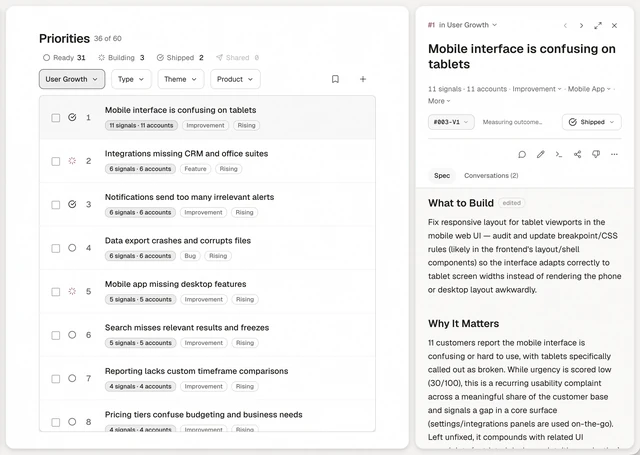
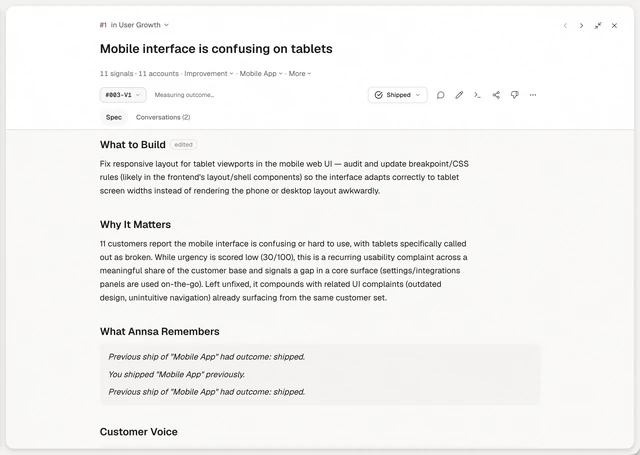
In Annsa, every priority can carry a spec with the same 5 sections: Problem, Evidence and direction, What to build, Files to touch and Done When. You write it, your agent writes it over MCP, or Ask drafts it for you. Annsa never writes a spec on its own. Agents read it with annsa.spec, claim the job with annsa.work and record a receipt against each Done When line as they check it. The receipts stay on the spec, so you can see what was checked and where. See how specs work in Annsa.