Human-in-the-loop checklist for AI agents
The short answer
A human-in-the-loop checklist lists when an agent must stop and ask: scope changes, anything customers see, money, security, anything that can't be undone, going against your own rules and real choices between options. Everything else the agent does alone. When it asks, it states what it needs, what it assumed and the safe option it will continue with.
A human-in-the-loop checklist is a short list of "ask me only if" rules for your coding agents. It says what they do on their own, which calls need a person and how to ask. Done well, you are pulled in for the few decisions that matter, not every step. For the idea behind it, see human-in-the-loop for AI agents.
TL;DR
- Gate by what the action does, not by how sure the agent feels. Confident agents are wrong too.
- Seven triggers cover it: scope, customers, money, security, anything that can't be undone, your own rules and real choices between options.
- Everything else, the agent does on its own.
- When it stops, it says what it needs, what it assumed and the safest option, then carries on with that.
- Too many gates teach you to click through. Keep the list short.
When to use it: you run one or more coding agents and you keep either approving everything or finding out afterward. When not: an agent working in a throwaway sandbox with nothing to lose.
A human-in-the-loop checklist
Paste it into your AGENTS.md or your agent's rules, and change the brackets.
## Ask me only if

Inputs: the planned action, the spec, the evidence.
Outputs: "proceed", or one escalation message (what you need, what you found, what you assumed, the safe option).

[Delete lines that do not apply to your setup.]

Stop and ask a person before you:
1. Change scope. The job is bigger than the spec, or touches something it put out of scope.
2. Change anything a customer will see or receive (copy, emails, pricing, error messages).
3. Touch money: billing, plans, prices, refunds.
4. Touch security: access rules, secrets, who can see whose data.
5. Do anything that cannot be undone in a minute: delete data, release to production, force-push, rotate keys, send a message.
6. Go against a rule written in this file.
7. Make a real choice between options: two good designs, two customers who want opposite things, or a spec and code that disagree.

Do on your own, no asking:
- Read the spec and the code.
- Make changes inside the spec.
- Write and run tests, and fix your own mistakes.
- File findings outside the job, with a suggested severity and a one-line reason.
- Record evidence against each Done When line.
- Note a rule worth keeping, so a person can save it.

How to escalate:
- Need: [the one decision]
- Found: [what you saw]
- Assumed: [what you will assume]
- Safe option: [what you will do meanwhile]
Keep working on the parts that do not depend on the answer. Never guess at the risky part.

If nobody answers: the risky step does not happen. Say so at the top of your next update.
What goes in each rule?
Scope changes. The agent finds the job is bigger than the spec, or wants to do something the spec put out of scope. It stops and asks. A small job that quietly doubles is how a week disappears.
Customer-facing changes. Anything a customer will see or receive: copy, emails, pricing pages, error messages. A person looks before it goes out.
Money. Billing, pricing, refunds, plans, anything that changes what someone pays. Always a person.
Security. Access rules, secrets, who can see whose data. A miss here has no ceiling, so it always goes to a person.
Anything that can't be undone. Dropping a table, removing rows, releasing to production, force-pushing, rotating keys, sending an email. If undoing it takes more than a minute, ask.
Your own rules. The action goes against a rule you wrote down. Either the rule is wrong or the action is, and only you can say which.
Real choices. Two good paths with different tradeoffs, two customers who want opposite things, or a spec that says one thing while the code says another. The agent should not pick a winner. A person makes that call.
What does the agent do on its own?
Read the spec and the code. Make the change inside the spec. Write and run tests. Fix its own mistakes. File a finding if it notices a problem outside the job, with a suggested severity and a reason. Record evidence against each Done When line. Note a rule worth keeping, so you can save it. These need no permission, so the list stays short.
How should it escalate?
One message, four parts: what it needs decided, what it found, what it assumed and the safest option it will continue with. Then it keeps working on the parts that do not depend on the answer. It never waits idle and never guesses at the risky part.
What if nobody answers?
Decide this before you need it. The safe default is that the risky step does not happen. An unanswered question must not turn into a yes. If a call is stuck for a day, the agent should say so at the top of its next update.
An example, filled in
This is an example, made up to show the level of detail. Say an agent is building "Send a monthly summary to a client".
- On its own: reads the spec, writes the summary page, writes tests, fixes a lint error, files a finding that the client list page has a broken link (suggested P2, "link goes nowhere, small").
- Asked first, scope: The agent wants to add scheduled sending. The spec puts it out of scope. It stops: "Scheduled sending would double the job. I will leave it out and note it as a proposed priority. Okay?"
- Asked first, customers: The email subject is new text a client will read. "Subject is 'Your October summary'. Okay to send as is?"
- Not asked: renaming a local variable, rewriting a test.
- Escalation: "Need a call on the email subject. Found that the sample says 'Monthly update'. Assumed 'Your October summary'. Safest option: use it on staging only. Continuing with the page."
The agent did five things alone, stopped on two and said what it had assumed. Nothing went to customers.
What mistakes should I avoid?
- Gating on confidence. An agent is often most sure when it has misread the task. Gate on the type of action.
- Gating everything. If every step needs a yes, the yes means nothing.
- Showing a summary, not the action. Show the exact text, amounts or rows that will change.
- Idle waiting. The agent should carry on with the safe parts.
- An unanswered question that defaults to yes. It should default to no.
- Writing the rules once and never reviewing them. Look at the borderline cases now and then, and adjust.
To fill this template, an agent takes the planned action and the rules, and returns either "proceed" or a short escalation with what it needs, what it assumed and the safe option.
For the files these rules sit beside, see context engineering, and pair them with a definition of done checklist so the agent knows when to stop as well as when to ask.
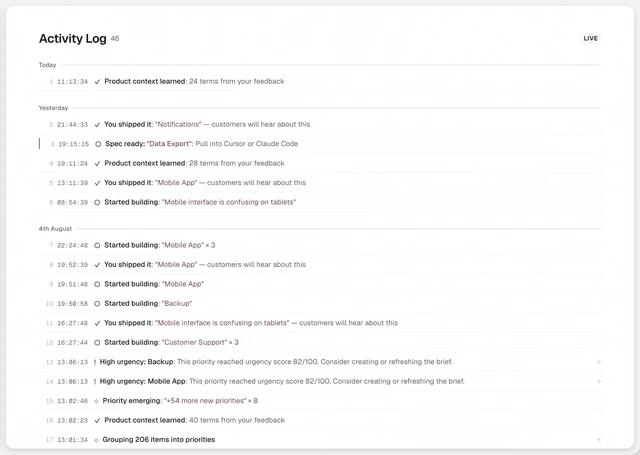
How does Annsa do it?
Annsa has a place for this: Needs You. It holds only the calls that need a person, so everything else can move. Your agents escalate over MCP with annsa.work, and carry on with the safest option. Releasing to production, sending notes to customers and typing a severity stay with a person. When you decide something, you can save it as a principle, and every agent reads it, so you answer once. See what lands in Needs You and the AGENTS.md template where these rules live.