CHANGELOG · RELEASE 17 · 9th May 2026
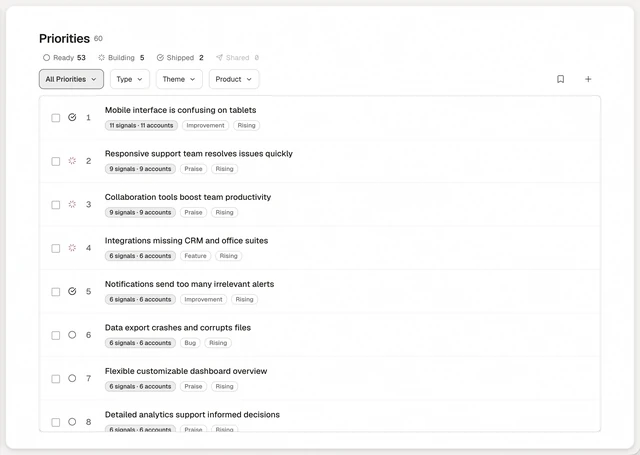
Pick your goal. Every priority re-ranks for it.
Growth, retention or quality. The list re-ranks for the one you pick.
How to use it
The same feedback means different things depending on what you are chasing. Pick a goal and the list re-ranks for it. Nothing is deleted when you switch, and the list can come back empty if no feedback fits that goal.
- Pick a goal above the priority list: User Growth, Revenue Growth, Retention Risks, Delighters, Bug Fixes & Quality or New Features.
- Read the re-ranked list. Ranking still reads how many companies a theme touches, then revenue, then urgency.
- Set a north star in Settings under Memory & AI tuning. It is one line, up to 200 characters, and holds longer than a focus.
In this release
Products
Give each product its own row in the sidebar, with its full workflow underneath.
In beta.
North-star focus
Pick your goal on the way in. User growth, revenue growth, retention or new features shape your first priorities.
Improvements
The Surveys empty state shows 5 format cards, each opening the wizard with that format ready. Saved cuts pin a filtered slice of priorities to the sidebar and Cmd+K.